
Spinit Casino App Download for Android and iPhone in Australia
Welcome to Spinit.
Updated: November 17, 2026
Is There a Spinit Casino App to Download?
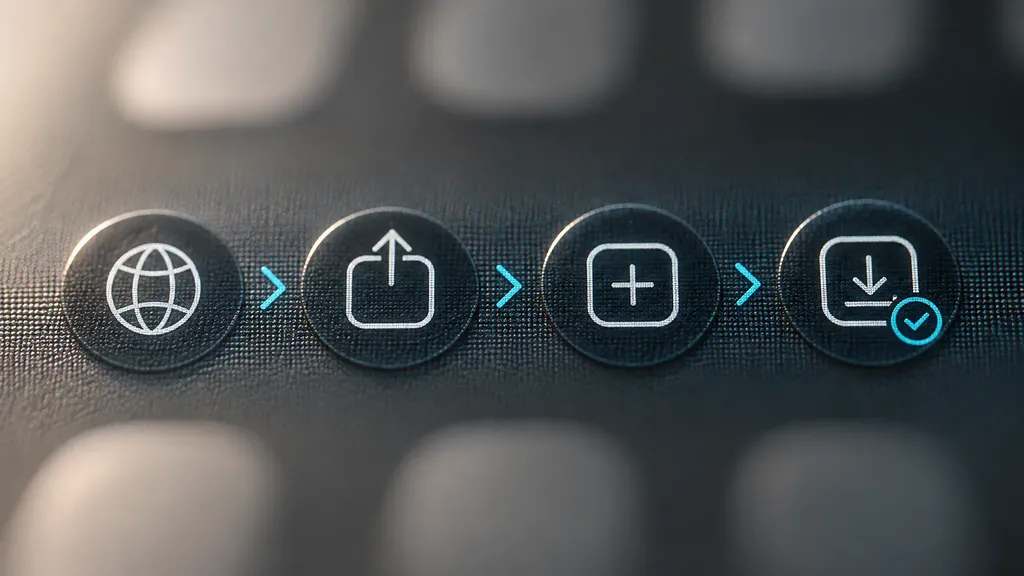
There's no Spinit casino app download in the Apple App Store, and we don't publish an APK file for Android. We haven't launched a native app, so you don't need an app store at all. The Spinit app goes onto your phone straight from our official site, spin-it-au.com: you add it to your home screen from the browser, and it works on both Android and iOS.
Why no store app? We made that call on purpose to keep the mobile experience light. Nothing to install, nothing to update.
How to Install the Spinit App on Your Phone
Pick your path by device. On an Android phone you'll use Chrome. On an iPhone or iPad you'll use Safari. Each path takes four steps.
Before You Start: What Your Phone Needs
- A stable internet connection. The Spinit app runs in your browser, so it needs to be online.
- An Android phone or an iPhone/iPad. The mobile version works on both.
- The right browser for the home-screen step. Chrome, Safari or Firefox will open spin-it-au.com, but our Android steps run through Chrome's menu and our iPhone and iPad steps through Safari's share icon.
- The address typed by you. Enter spin-it-au.com in the address bar yourself instead of tapping a link from an ad or a message.
Android: Add Spinit to Your Home Screen in Chrome
- Open Chrome and go to spin-it-au.com.
- Open the Chrome menu - the three vertical dots at the upper right of the screen.
- Select "Add to Home screen".
- Name it "Spinit" and tap "Add".
Can't find "Add to Home screen"? Check which browser you're in. The option sits in Chrome's three-dot menu, so start from Chrome.
Next step: tap the Spinit icon on your home screen and sign in.
iPhone and iPad: Add Spinit to Your Home Screen in Safari
- Launch Safari and go to spin-it-au.com.
- Tap the share icon (the square with an arrow).
- Choose "Add to Home Screen".
- Confirm the name and tap "Add".
There's no App Store step on iPhone or iPad. Safari does the whole job.
Next step: tap the Spinit icon and sign in.
Spinit Home-Screen App vs a Downloaded APK: What's Different?
On the market, a casino app usually arrives as a store listing or an APK file that you download and install on the phone. Our home-screen app works differently, and the difference is mechanical:
| Spinit home-screen app | Typical downloaded APK or store app | |
|---|---|---|
| Where it comes from | Our official site, spin-it-au.com, through your browser | A file or a store listing |
| File installed on your phone | None, it's a shortcut | An installation file |
| Storage used | None | Space on your device |
| Updates | No update downloads, it runs in the browser | Update downloads |
| Account | The same account you use on desktop | Depends on the app |
| Currency | AUD supported | Depends on the app |
That's the practical answer to "is it safe to install?". You're saving a shortcut to an address you can see in the browser bar, not running a file from somewhere else.
How to Tell a Fake Spinit App or APK
Since we don't publish an APK or a store app, the rule is simple. Any APK file, any Google Play-style listing and any "Spinit casino" download offered elsewhere isn't from us.
Watch for these signs:
- An APK file with the Spinit name. We don't release one, so whatever is inside it, we didn't build it.
- A page dressed up as Google Play or the App Store on an address that isn't the store's own. Real store pages live on the store's domain. A copy on another domain is a red flag.
- A "download" button that starts a file instead of opening our site. The Spinit app never needs a file.
- An address bar showing anything other than spin-it-au.com before you tap "Add to Home screen".
Already installed something like this? Delete it, then open spin-it-au.com in Chrome or Safari, add the shortcut using the steps above and sign in only there.
What You Get When You Open the Spinit App
The app opens the full Spinit platform, built to mirror the desktop version. It's the same account you use on a computer, so there's no second registration.
From the first launch you can sign in, deposit in AUD and start playing. The lobby is arranged around four main sections: Pokies, Live Casino, Jackpots and Promotions.
Using Spinit From Australia
Spinit was founded in 2024 and operates under an International licence. We designed our mobile version with Australian players in mind, so it supports AUD and Australian payments.
Our games are for adults only: you need to be at least 18 years old to play with us.
 Where's The GoldAristocrat
 Wanted Dead or A WildHacksaw Gaming
 Gates of Olympus 1000Pragmatic Play
 Gates of Olympus Super ScatterPragmatic Play
 Gates of OlympusPragmatic Play
 Sweet Bonanza 1000Pragmatic Play
 Bigger Barn House BonanzaPragmatic Play
 Sugar Rush 1000Pragmatic Play
 Queen Of The NilePopiplay
 Big Bass SplashPragmatic Play
 Sweet Rush BonanzaPragmatic Play
 Wolf GoldPragmatic Play
Good to Know
Will Spinit Release a Native App?
If we launch an official app, we'll publish the installation instructions and download links ourselves. Until then, the home-screen app from spin-it-au.com is the only official way to get Spinit on your phone.
Do I Need a New Account for the Spinit App?
No. Sign in with the details you already use on desktop.
Does the Spinit App Need Updating?
No. There's nothing to download when we change the site, and the shortcut takes no storage on your phone. Next step: open Chrome or Safari, type spin-it-au.com and follow the four steps for your device.